How do I get CandleSauce?
Download it from the Download button — no account or sign-up needed. Every feature is unlocked for a 1-month free trial, no card required. See Pricing.
What happens when my 1-month trial ends?
CandleSauce stops working until you activate a licence — there is no limited free mode to fall back to. To keep using it, pay $59/month or $588/year and enter the licence key you receive under Licence → Enter licence in the app. Each licence is bound to one machine. See Pricing.
Which operating systems are supported?
CandleSauce currently supports Windows 10 and Windows 11 (64-bit). Support for other platforms may come later.
Do I need an account to use the app?
No CandleSauce cloud account is required — the app runs entirely on your computer. To fetch market data and trade, you connect your own exchange account (a Binance API key, a MetaTrader 5 login, an OANDA API key, an Interactive Brokers Gateway connection, or a Charles Schwab OAuth login) directly in the app. Your credentials stay on your machine.
Does my data or my exchange API keys ever leave my machine?
No. Strategy building, backtesting, AI training, and live trading all run locally on your computer — your exchange API keys are never sent to a CandleSauce server, because there is no CandleSauce server involved at all. This isn't a hypothetical risk: cloud-based trading-bot platforms have been directly targeted before, including a December 2022 breach that exposed roughly 100,000 customers' exchange API keys and led to tens of millions of dollars in confirmed user losses, and cloud-hosted AI trading agents lost an estimated $45M+ to security incidents industry-wide in 2026 alone. CandleSauce removes that entire risk category — there's no third-party server holding your keys to breach in the first place. The one opt-in exception is the Claude connection: if you connect Claude Desktop, what Claude reads (presets, data summaries, backtest results) goes to Anthropic as part of your conversation — never your API keys or broker login.
How is CandleSauce different from TradingView, 3Commas, Coinrule, Cryptohopper, or MetaTrader 5?
CandleSauce is the only one of these that trains a real reinforcement-learning agent on your own data, entirely on your own machine — no cloud account, and no third party ever holding your keys. TradingView leads on charting and community, and can connect to general purpose AI assistants, but does not provide a no-code model trained on your own data. 3Commas, Coinrule, and Cryptohopper offer no-code automation and have AI features, but all three run on their own cloud servers and hold your exchange API keys there. MetaTrader 5 does not have built-in reinforcement-learning agent training, and anything beyond simple rules still requires MQL5 code.
How does the AI trading agent work?
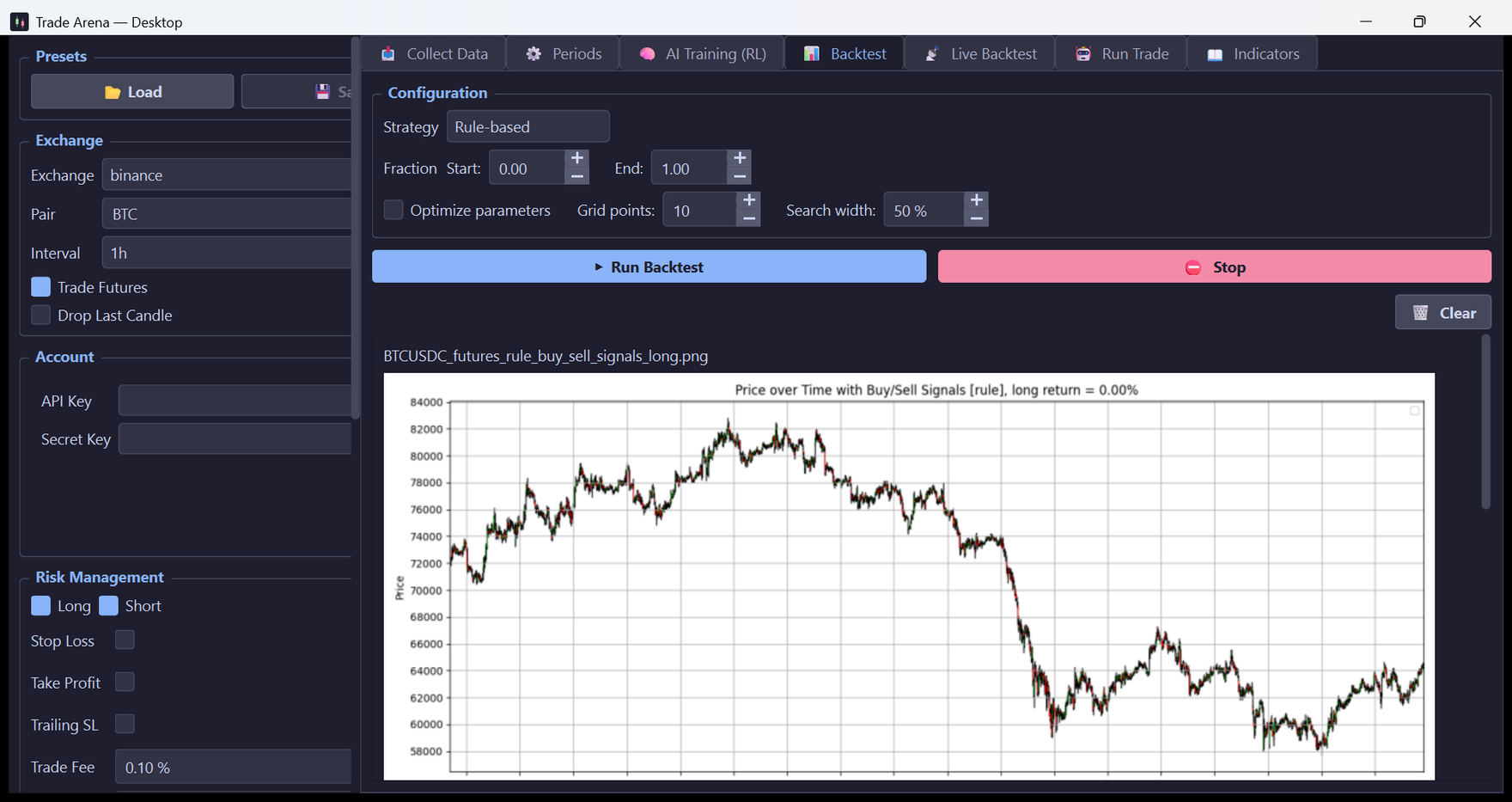
CandleSauce includes a deep reinforcement-learning agent (PPO) that you train yourself in the app's 🧠 RL tab, on historical data for your market, using indicator-based feature expressions you define. Training produces specialist long and short agents. Once trained, set Strategy = RL in the Backtest, Live Backtest, or Run Trade tab to drive that mode with the agent instead of rule-based criteria. Everything runs locally on your CPU — no cloud, and your data never leaves your machine. As with any strategy, past performance is no guarantee of future results: always backtest and paper-trade the agent before enabling live trading.
Can I use CandleSauce with Claude?
Yes. In the app, choose ✨ AI → Connect to Claude… to connect Claude Desktop through MCP (Model Context Protocol). Claude can then read a reference guide to the app, list the candle history you have collected, measure what your indicator columns actually contain, read your saved presets, draft and validate new ones, save them to your presets folder (it won’t overwrite an existing preset unless you ask), run rule-based backtests on your history, and find past candlestick patterns shaped like the latest candles. Open a preset it saved with Presets → Load. Like the Backtest tab, a backtest Claude runs replaces that symbol’s previous backtest charts and CSVs.
Claude can’t trade. It can’t reach your broker, place orders or fetch new market data. It is instructed never to promise profits and to recommend a Live Backtest (paper trading) before Run Trade — the only place real orders happen, and a step only you can take.
Privacy: the connection is optional. When you use it, what Claude reads through these tools — presets, data summaries, backtest results and charts — goes to Anthropic as part of your Claude conversation, under your own Claude account.
Can I share a strategy with another trader?
Yes. Use Save As in the Presets box to write your setup to a .json file — it holds the pair and interval, your entry and exit criteria, every indicator period, the risk settings and the AI feature expressions. Anyone with CandleSauce can load it with Load and get exactly your configuration. Because it is plain text you can also keep it in version control and diff two strategies against each other. Credentials are deliberately excluded: your API keys and MetaTrader login are never written to a preset, so a preset is safe to publish, and loading someone else's will not touch the account details you have entered.
Does CandleSauce execute real trades?
Yes — it can. CandleSauce supports backtesting and simulation, but its Run Trade mode places real orders on your connected exchange (Binance, MetaTrader 5, OANDA, Interactive Brokers, or Charles Schwab) — whether driven by your rule-based criteria or by the AI agent. Live trading is off by default and requires explicit confirmation in the app. Trading involves risk of loss — use live trading at your own risk.
Is CandleSauce a licensed broker or investment adviser?
No. CandleSauce is a tool, not a broker or adviser — it only executes your own strategy, whether rule-based, AI-driven, or both, through your own exchange or broker account. It never takes custody of your funds and gives no investment advice. You are solely responsible for your own trading decisions.